


Quick Answers
Start Delta Force Season Aurora by checking your update status and event deadlines, then choose one goal: learn Martelo, test the AN-94, relearn Brakkesh in Operations or explore Zenith Port in Warfare. Keep your first session focused instead of trying to complete every new activity at once.
Global Season Aurora is scheduled to open on November 10, 2026, through a no-downtime update for PC, mobile and console. Check your platform and regional client for the current rollout status. This first-day checklist was checked on November 10; it is not a claim that every regional service has finished updating.
| Your priority | First action | Next resource |
|---|---|---|
| Limited-time rewards | Check event deadlines and account requirements. | Official event pages and Twitch Drops. |
| New operator | Read Martelo’s kit, then check the released controls. | Martelo abilities guide. |
| New rifle | Check AN-94 access and test the opening shots. | AN-94 preview and testing checklist. |
| Operations | Recheck familiar Brakkesh connections and cover. | Brakkesh 2.0 guide and map reference. |
| Warfare | Learn Zenith Port’s layout before optimizing a loadout. | Zenith Port map guide. |
Delta Force Season Aurora: Your First-Day Checklist
1. Confirm Your Version Before Following a Guide
Open the game, complete the available update and check the announcements for your own service. A Global date does not independently establish a Garena schedule or the precise moment every platform finishes updating.
Use the official Global update notice for the release announcement: https://www.playdeltaforce.com/en/detail/news-major-update-season-aurora-is-coming.html . For the wider season overview, read our Aurora update guide: https://deltaforcetools.gg/blog/delta-force-season-12-release-date-aurora
2. Check Rewards Before Starting a Long Session
Review the current event menu and note any deadlines, participation requirements and claim buttons. Separate a reward you can claim immediately from one that needs missions, viewing time or a purchase. A season announcement is not proof that every reward is available to every account.
Twitch Drops are worth checking if you plan to watch streams. The official page says eligible streams must have Drops activated. Claim rewards through the Twitch Drops Inventory before they expire, then check the in-game mailbox. The page states that reward emails expire after 30 days.
Watching several channels simultaneously does not accelerate Drops: the official FAQ says only one active channel counts at a time. Check the current campaign on the official page for its actual rewards and watch-time requirements: https://www.playdeltaforce.com/act/twitchdrops/index.html
3. Pick One New Feature to Learn First
Choose a goal that fits the mode you want to play. If your priority is a new operator, begin with the controls and the ability transitions. If it is a new weapon, start with a repeatable firing test. If it is a map, learn a small number of reliable connections before planning a full route.
Trying Martelo? Learn the Inputs Before the Combos
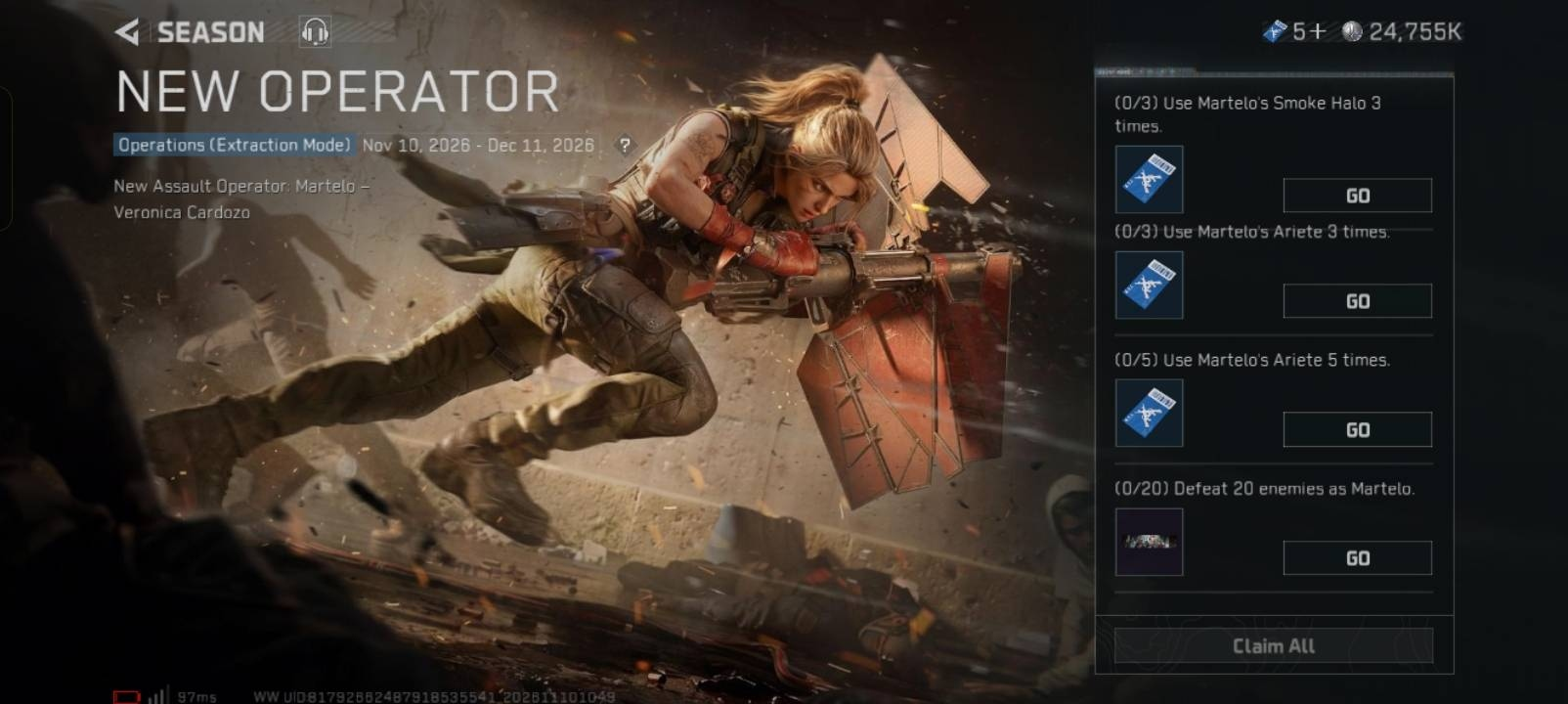
Our Martelo guide covers the preview kit and the distinction between her smoke inputs. Use it as a starting reference, then confirm the released client’s descriptions and controls. Preview behavior should not be treated as a final specification for damage, protection or cooldowns.
In your first practice session, focus on smoke placement, where a charge ends and when you can return to your weapon. These are practice suggestions, not a tested best combo. Do not assume that carrying a shield guarantees a safe entry.
Read the Martelo abilities and playstyle guide: https://deltaforcetools.gg/blog/delta-force-martelo-guide-abilities
Trying the AN-94? Test Before Copying a Build
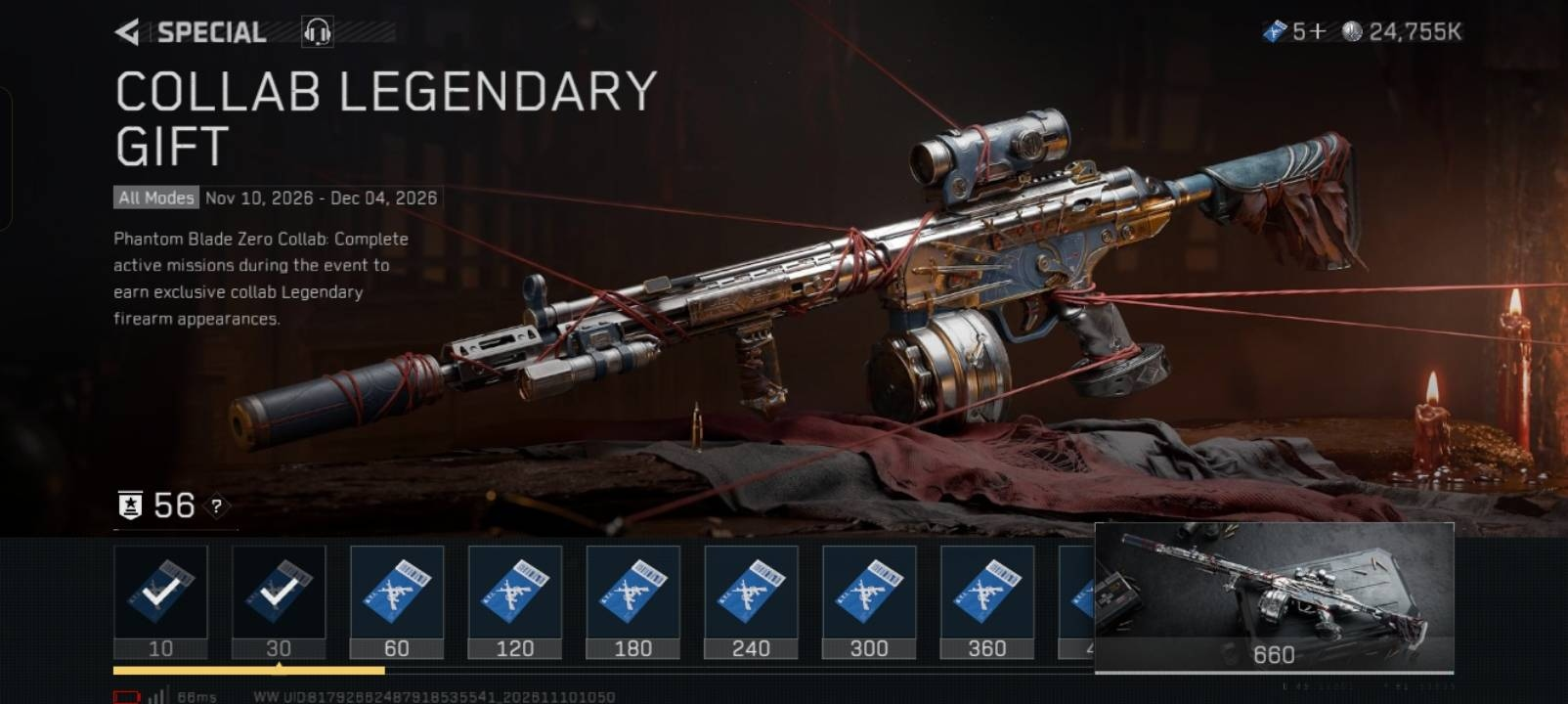
Our AN-94 preview focuses on the officially advertised opening burst. After checking your actual unlock instructions, compare the first shots with sustained fire under the same conditions. Record the mode and configuration so your comparison can be repeated.
Do not treat a pre-launch build title as proof of current performance. Verify any shared code against the weapon, mode and attachment list before applying it. This first-day guide does not supply an untested AN-94 code or rank it above established rifles.
Read the AN-94 preview and evaluation checklist: https://deltaforcetools.gg/blog/delta-force-an-94-guide . Browse existing weapon builds: https://deltaforcetools.gg/weapon-builds

Operations: Relearn Brakkesh Before Optimizing a Loot Run
Our Brakkesh 2.0 guide summarizes the announced new routes and improved cover. Start with a familiar segment and check its entrances, exits and exposed angles in the released layout. A remembered route is a useful starting point, not proof that every connection is unchanged.
Use the Brakkesh interactive map as a reference and compare it with the client. This article does not certify that every marker is already synchronized with the update. Confirm the actual extraction requirements in your match before committing to a route.
Read the Brakkesh 2.0 guide: https://deltaforcetools.gg/blog/delta-force-brakkesh-2-0-map-guide . Open the Brakkesh map reference: https://deltaforcetools.gg/map/brakkesh

Warfare: Start with Zenith Port’s Layout
The Zenith Port guide is the relevant starting point for the new Warfare map. Learn the layout and identify alternate positions before trying to optimize every movement or weapon choice. Use the guide’s source-backed map description, and distinguish it from any route suggestions that still need live testing.
Keep Warfare and Operations navigation separate. A Brakkesh route or extraction map is not a substitute for learning Zenith Port. This guide does not claim a tested fastest flank, a guaranteed safe rooftop or an optimal map-specific loadout.
Read the Zenith Port map guide: https://deltaforcetools.gg/blog/delta-force-zenith-port-map-guide
Do Not Confuse Launch-Day and Later Content
Check the timing of the specific activity you want to play. A feature appearing in a season trailer does not automatically mean it opens on day one. Our Aurora overview separates the season date from event-specific timing; use the current in-client event notice before planning around a limited-time mode.
A Simple Plan for Your First Session
- Check the client update and event deadlines.
- Choose one goal: operator, weapon or map.
- Spend a short practice session checking controls or a familiar route.
- Play your preferred mode with a configuration you understand.
- Record what changed, then verify it before sharing advice.
- Check reward claim screens and mailbox before leaving.
FAQ
What should I do first in Season Aurora?
Check your version and event deadlines, then focus on one new feature that fits your preferred mode. Use the dedicated guides rather than trying to learn the entire update in one session.
Should I buy a loadout or keycard immediately?
Avoid making the decision solely from an old guide or an unverified first-day claim. Check the released requirements and whether the item fits your intended activity before spending resources.
Can I earn Twitch Drops faster with several streams open?
No. The official Drops FAQ says only one active channel counts at a time, so simultaneous streams do not produce more Drops.
Where do claimed Twitch Drops appear?
The official FAQ directs players to their in-game email. It says those emails expire after 30 days, so claim them promptly.
Are all the linked guides live-tested?
No. Some were prepared from official previews or test-client material. Read their evidence notes and compare the information with the released client. This checklist does not turn those previews into final balance data.
Sources and Update Notes
- Global launch announcement: https://www.playdeltaforce.com/en/detail/news-major-update-season-aurora-is-coming.html
- Official Twitch Drops instructions and FAQ: https://www.playdeltaforce.com/act/twitchdrops/index.html
- Linked DeltaForceTools guides are reading resources, not independent proof of final weapon values or unlock rules.
- November 10, 2026: first-day checklist prepared. Exact regional status, final unlock instructions and tested builds should be updated when verified.